Airbus A320 family mass & balance
Enter the flight. Check the balance. Print the loadsheet.
One handheld device, even without internet.
- Review aircraft weights, centre of gravity and trim.
- Check limits against your configured aircraft profile.
- Print directly with the built-in thermal printer.
Starting at $199 + shipping
Tested before shipping. Final configuration and subscription terms confirmed by quote.
Tell us your aircraft type and quantity. Ask about configuration, subscription terms and support before ordering.
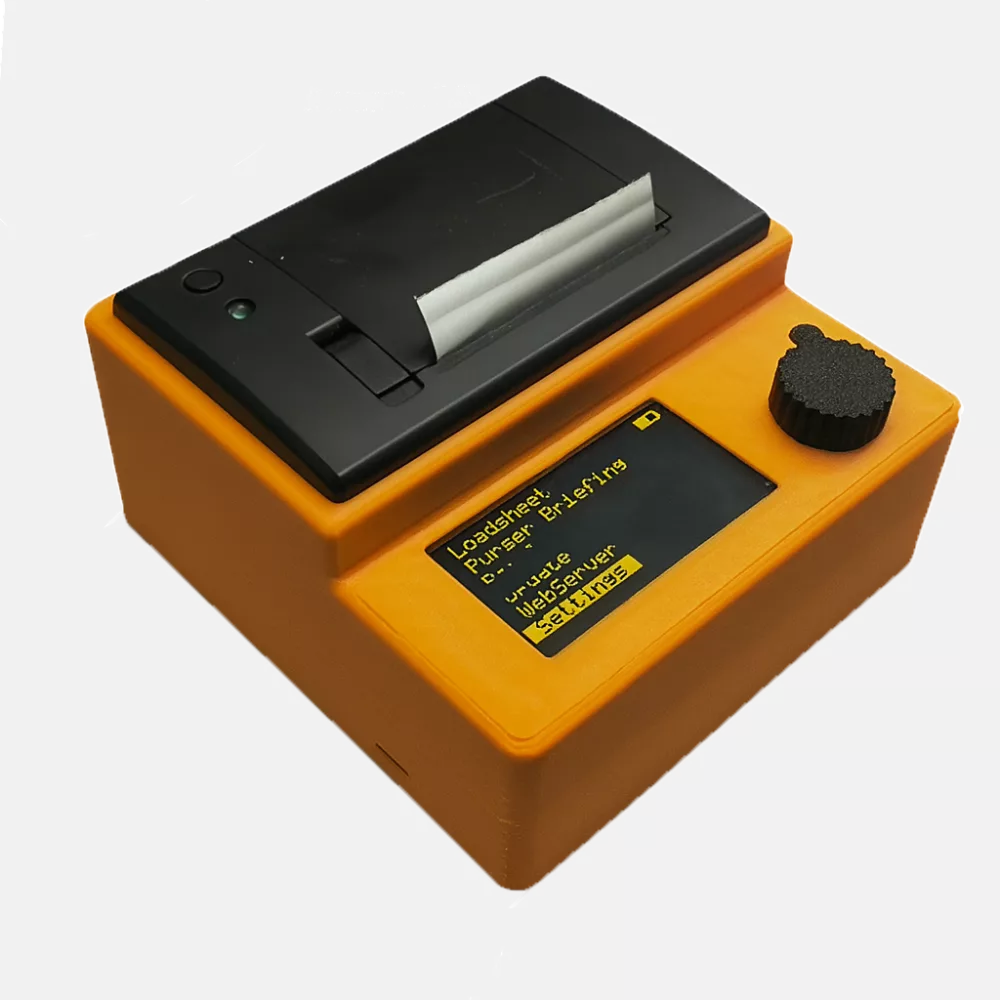
A straightforward loadsheet workflow
Keep entry, review and printing together. Use the rotary control to work through each step and return to earlier inputs when needed.
Select your aircraft and flight
Choose the configured registration, then enter flight details, passengers, baggage, cargo and fuel.
Check weights and distribution
Allocate passengers and cargo. Review zero-fuel, take-off and landing weights, CG limits and trim information.
Produce a paper loadsheet
Print from the device’s thermal printer. The documented workflow flags out-of-limit values and prevents printing in that condition.
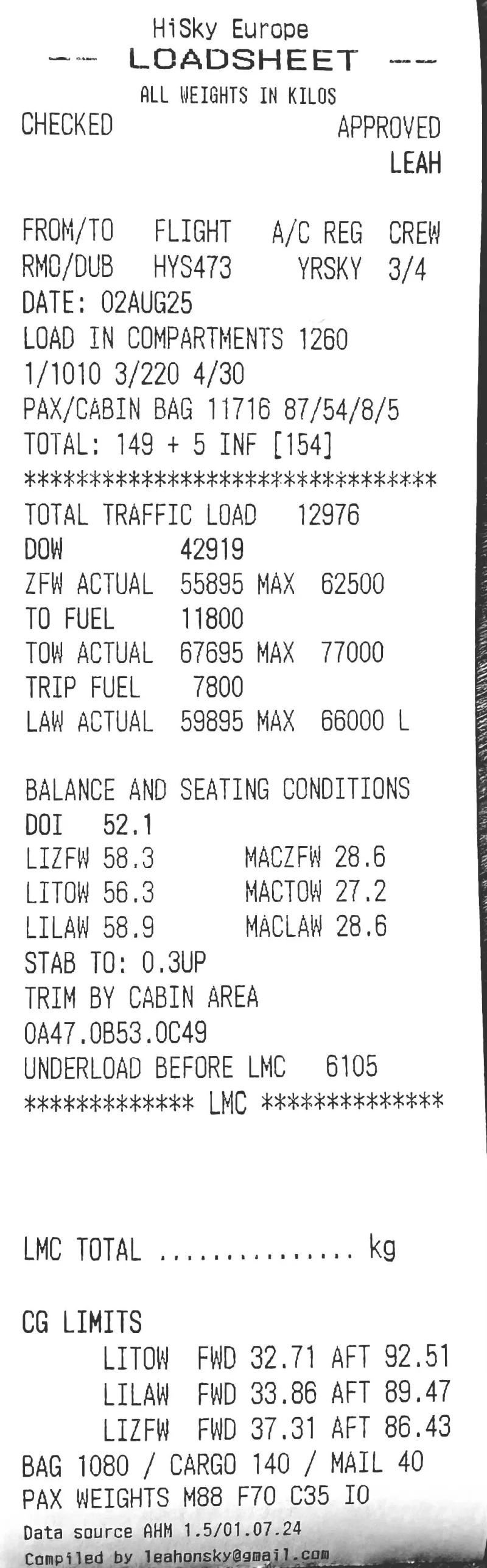
A real example of the printed loadsheet
Inspect the sample output, including the flight details, weight summary and balance information.
The device also provides trip information and purser briefing printouts. Review all sample outputs in the illustrated product guide.
Example output only. Your aircraft data, configuration and operator requirements need to be checked for your use.
Watch the device in use
See the interface and the workflow rather than relying on a feature list.
This is a physical handheld calculator, not an online subscription-only calculator. Mass and balance calculations run locally; an internet connection is used for updates.
Configured for your A318, A319, A320 or A321
The aircraft model is the starting point. The individual aircraft’s data and layout matter.
Aircraft-specific data from the Aircraft Handling Manual (AHM) is stored on the device. Confirm the correct registration, cabin zones, cargo compartments and applicable limits before use.
Check the configuration requirements →
Ask about your aircraftDesigned to be carried and used
- 415 g
- Device weight
- 119 × 120 × 64 mm
- Device dimensions
- USB-C charging
- Internal rechargeable battery
- 58 mm paper
- Built-in thermal printer
- Rotary control
- Push to confirm, Back to revise
- Wireless updates
- Firmware and aircraft database
Get the details you need to decide
Devices start at $199 plus shipping and are tested before dispatch. Request a quote for your aircraft configuration, shipping and subscription terms, or ask for a demonstration.
Request a quoteAn enquiry only—no payment is collected on this website.
- Tell us your aircraft type
A318, A319, A320, A321 or a mixed fleet. - Tell us what you need
A quote, demonstration or compatibility check. - Confirm the details before ordering
Aircraft configuration, commercial terms and support.
Questions about the Loadsheet Computer
Which aircraft are supported?
Airbus A318, A319, A320 and A321. The individual aircraft’s data and configuration must be confirmed; support for a model does not mean every variant or modification shares the same profile. View the requirements.
Can I use it without Wi-Fi?
Yes. Calculations run on the device using stored aircraft data, and the built-in printer produces the hardcopy. Connectivity is used for firmware and database updates.
What does it cost, and is there a subscription?
Device pricing starts at $199 plus shipping. Subscription terms are confirmed by enquiry. Request a quote and specify your aircraft type and quantity so you can confirm the applicable terms before ordering.
Can I see it working before deciding?
Watch the demonstration above and inspect the sample printouts. For questions about your aircraft or a demonstration, contact the maker.
Does a printed loadsheet establish operational approval?
No. The device and aircraft data must be validated as required by your operator. Its checks do not replace approved procedures, aircraft documentation or any required operational approval.
How do I ask about delivery or support?
Include your country and requirements in your enquiry. Confirm delivery arrangements, subscription terms, updates and support before ordering.